Frequently Asked Questions
Everything you need to know about Maigret
Maigret is an open-source OSINT (Open-Source Intelligence) tool that collects a comprehensive dossier on a person by searching for their username across over 3,000 websites. It extracts all available public information from profile pages and APIs, including links to other accounts.
Maigret is designed for educational and lawful purposes only and requires no API keys to operate.
Yes, Maigret is completely free and open-source under the MIT License. You can use it for personal or commercial purposes without restrictions.
For serious commercial use with daily-updated site databases or a username-check API, commercial options are available.
Maigret requires Python 3.10 or higher. It works on Windows, macOS, and Linux systems. For Docker users, any platform supporting Docker containers is compatible.
Optional PDF reports require additional system-level graphics libraries on Linux/macOS.
Maigret is designed for educational and lawful purposes only. Users are responsible for complying with all applicable laws in their jurisdiction (GDPR, CCPA, etc.). The authors bear no responsibility for misuse.
Always ensure you have permission to investigate individuals and respect privacy regulations.
The simplest installation method is using pip:
pip install maigret
For Windows users, a standalone executable is available in the GitHub Releases. For Docker users:
docker pull soxoj/maigret
Cloud shells and Jupyter notebooks are also supported.
Download the maigret_standalone.exe from the GitHub Releases page. You can run it directly by double-clicking or from a terminal:
cd %USERPROFILE%\Downloads
maigret_standalone.exe USERNAME
For a detailed guide, see the video tutorial: https://youtu.be/qIgwTZOmMmM
Two image variants are available:
soxoj/maigret:latest- CLI mode (default)soxoj/maigret:web- Auto-launches the web interface
Usage examples:
docker run -v /mydir:/app/reports soxoj/maigret:latest username --html
docker run -p 5000:5000 soxoj/maigret:web
Maigret can run in cloud shells and Jupyter notebooks:
- Google Cloud Shell: Open in Cloud Shell
- Replit: Run on Replit
- Google Colab: Open In Colab
- MyBinder: Open In Binder
After installation, run:
maigret YOUR_USERNAME
This will perform a default search on the 500 highest-ranked sites. For advanced options:
maigret username --html --pdf --tags photo,dating
Use maigret --help to see all available options.
Maigret supports over 3,000 websites. By default, it checks the 500 highest-ranked sites by traffic. Use the -a flag to scan all available sites, or --tags to filter by category/country.
The complete site list is available in sites.md.
Yes! Use the --tags option to filter by site categories or countries:
maigret username --tags photo,dating
maigret username --tags us
Available tags include categories like photo, dating, social, and country codes.
The AI analysis mode (--ai) uses an OpenAI-compatible API to generate a short investigation summary from raw findings. It provides insights like likely real name, location, occupation, interests, and confidence levels.
Usage:
export OPENAI_API_KEY=sk-...
maigret username --ai
Launch the web interface with:
maigret --web 5000
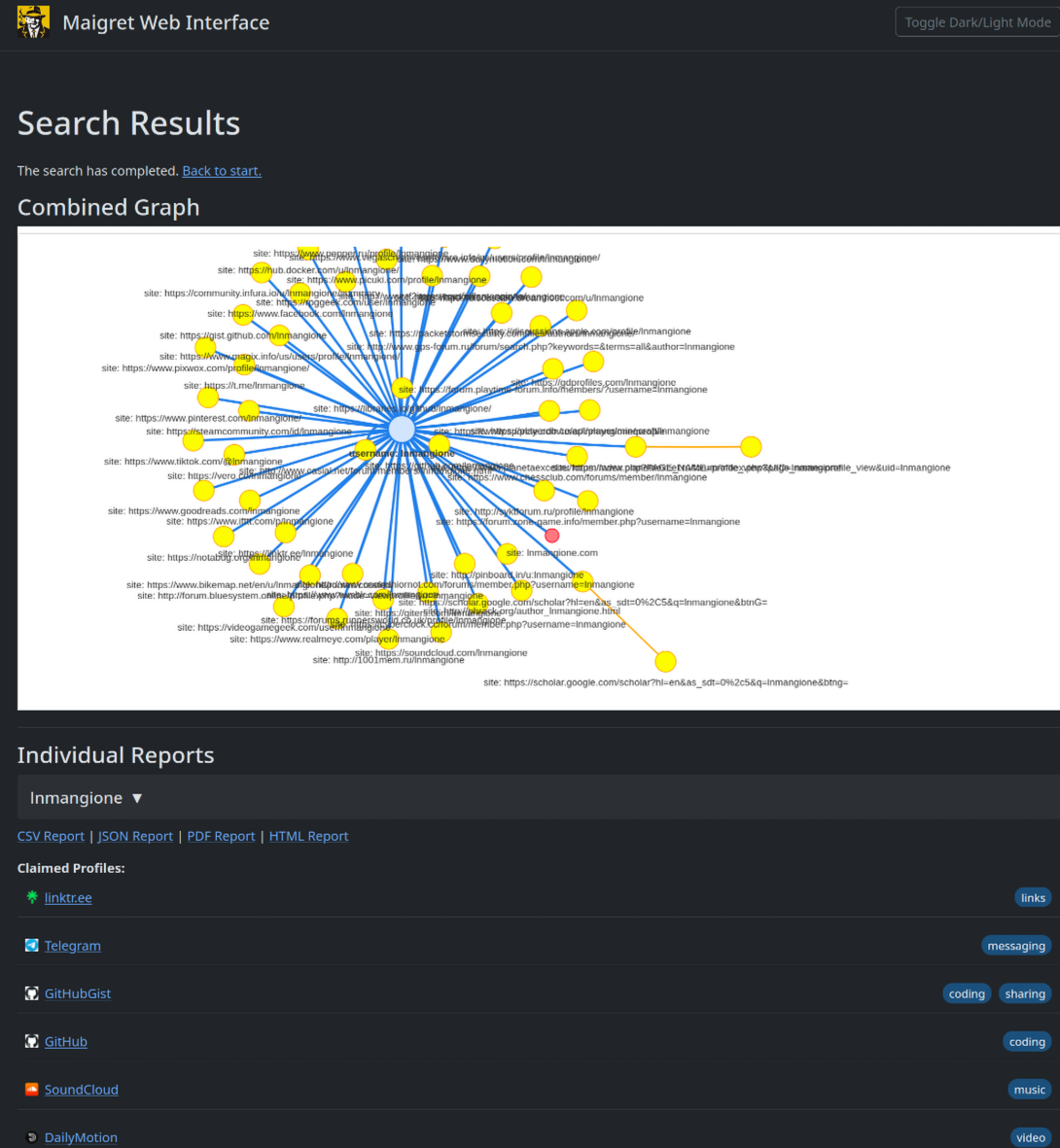
Then open http://127.0.0.1:5000 in your browser. Enter a username to view results as an interactive graph and download reports in multiple formats.
Maigret can be embedded in Python projects. Import and use the async function directly:
import asyncio
from maigret import maigret
results = await maigret("username")
See the library usage guide for more details.
Maigret generates reports in multiple formats:
--html- Interactive HTML report--pdf- PDF report (requires additional libraries)--json- Machine-readable JSON (simple or newline-delimited)--csv- CSV format for spreadsheet applications--txt- Plain text report--graph- Interactive D3 graph (HTML)
Use the --pdf flag:
maigret username --pdf
PDF reports require additional system libraries. Install with:
pip install 'maigret[pdf]'
See the PDF reports guide for OS-specific setup instructions.
Use the --graph flag:
maigret username --graph
This creates an interactive D3 graph in HTML format. Open the generated HTML file in your browser to explore connections between discovered accounts.
Maigret includes built-in mechanisms to detect and partially bypass blocks, censorship, and CAPTCHA. It automatically retries failed requests with delays and can use proxies to bypass IP-based restrictions.
For Cloudflare-protected sites, experimental Cloudflare bypass support is available.
Yes! Maigret supports HTTP/SOCKS proxies:
maigret username --proxy socks5://127.0.0.1:1080
For Tor:
maigret username --tor-proxy socks5://127.0.0.1:9050
For I2P:
maigret username --i2p-proxy http://127.0.0.1:4444
Yes, Maigret can check .onion and .i2p websites by routing requests through Tor or I2P gateways. Ensure your Tor/I2P daemon is running before executing commands.
This is useful for accessing onion services and bypassing geographic restrictions.
New sites can be added surgically to data.json. Run ./utils/update_site_data.py to regenerate sites.md and database metadata, then open a pull request.
See the CONTRIBUTING guide for detailed instructions and development docs.
Maigret does not store any search queries or results. All processing happens locally on your machine. The tool is designed to respect privacy and doesn't transmit any data to external servers.
Maigret is intended for educational and lawful purposes only. Users must comply with all applicable laws and regulations in their jurisdiction. The authors explicitly disallow any illegal use.
Always obtain proper authorization before investigating individuals.
Maigret only collects publicly available information from websites. It doesn't attempt to access private or protected content. Users should ensure compliance with data protection laws (GDPR, CCPA, etc.) when using the tool.
Yes! The open-source Maigret is MIT-licensed and free for commercial use without restrictions. However, site databases become outdated over time and require active maintenance.
For serious commercial use with daily-updated site databases or a username-check API, commercial options are available:
- Private site database (5,000+ sites, updated daily)
- Username check API for integration into products
Contact maigret@soxoj.com for commercial inquiries.
Contributions are welcome! You can:
- Add or fix sites in
data.json - Report bugs or suggest features on GitHub
- Improve documentation or translations
- Submit pull requests for enhancements
See the CONTRIBUTING guide for details.
Bugs and feature requests can be reported through: